Sign In










 Knowledge Base
  Video Tutorials
  Help Center
  SEG Validation
  Tarpitting Scoring
  ROI Calculator
  About us
-
Featured
 Blog
FAQ
Case Studies
Help Center Knowledge Base
Video Tutorials
Help Center
Tools SEG Validation
Tarpitting Scoring
ROI Calculator
Company About us
Contact us
Testimonials
Blog
FAQ
Case Studies
Help Center Knowledge Base
Video Tutorials
Help Center
Tools SEG Validation
Tarpitting Scoring
ROI Calculator
Company About us
Contact us
Testimonials

Validate email address list with Gamalogic Google sheets Add-on
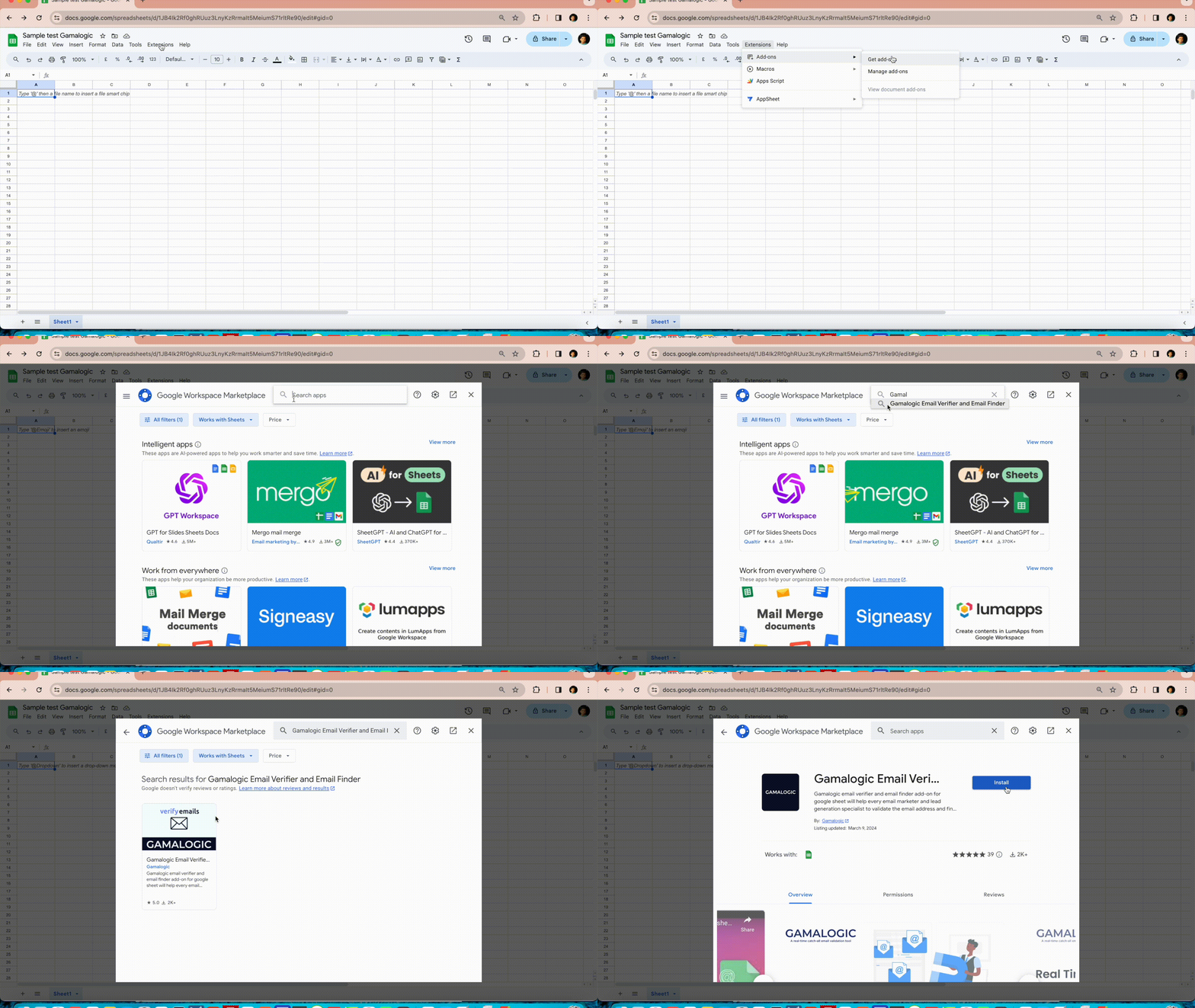
Install the add-on
Install the Gamalogic Email Verifier and Email Finder Google Sheets add-on from the Google Workspace Marketplace. Click here to install. This takes about one minute.
Open the add-on
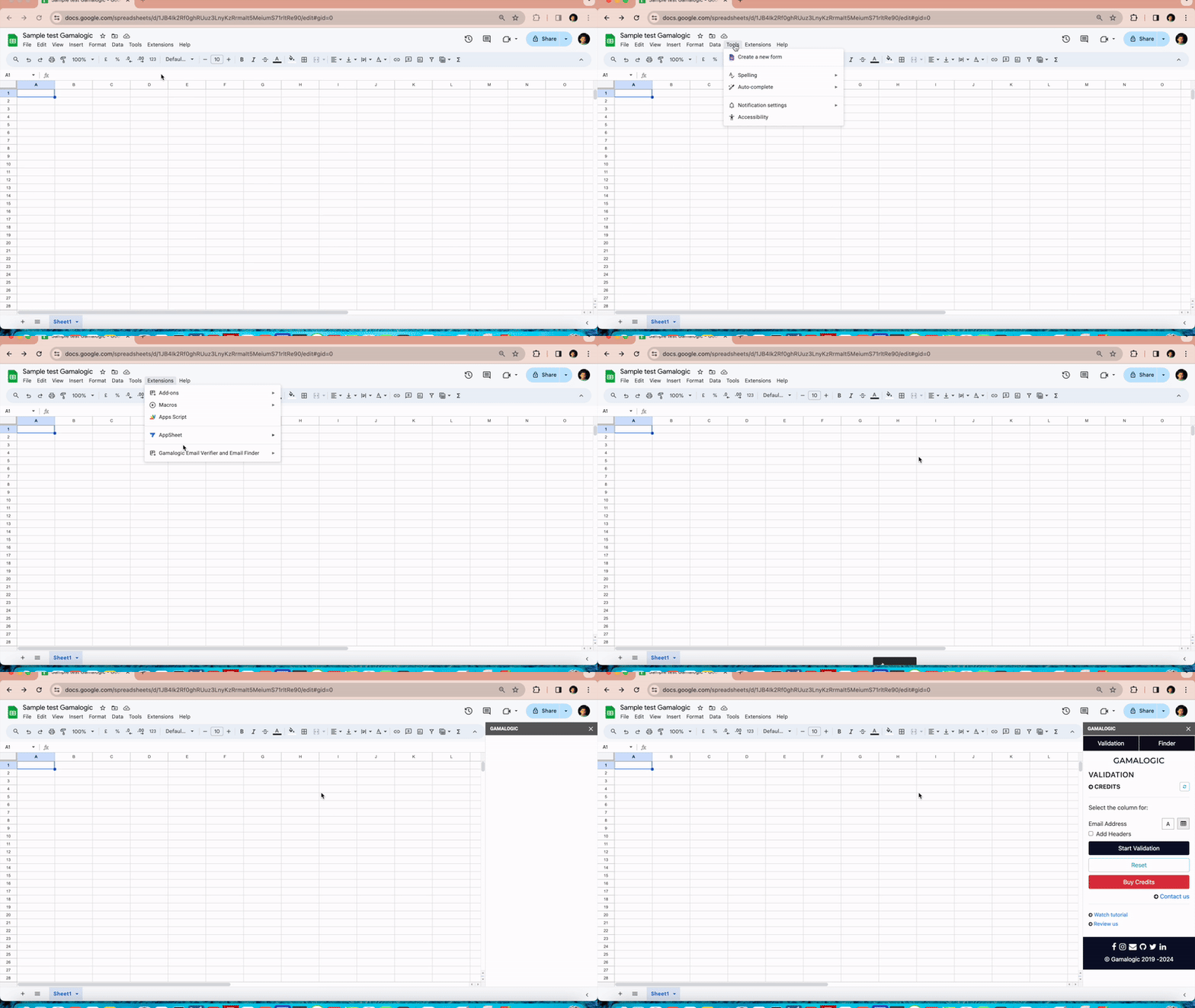
After installation, go to the Add-ons menu in Google Sheets and select Gamalogic Email Verifier and Email Finder.
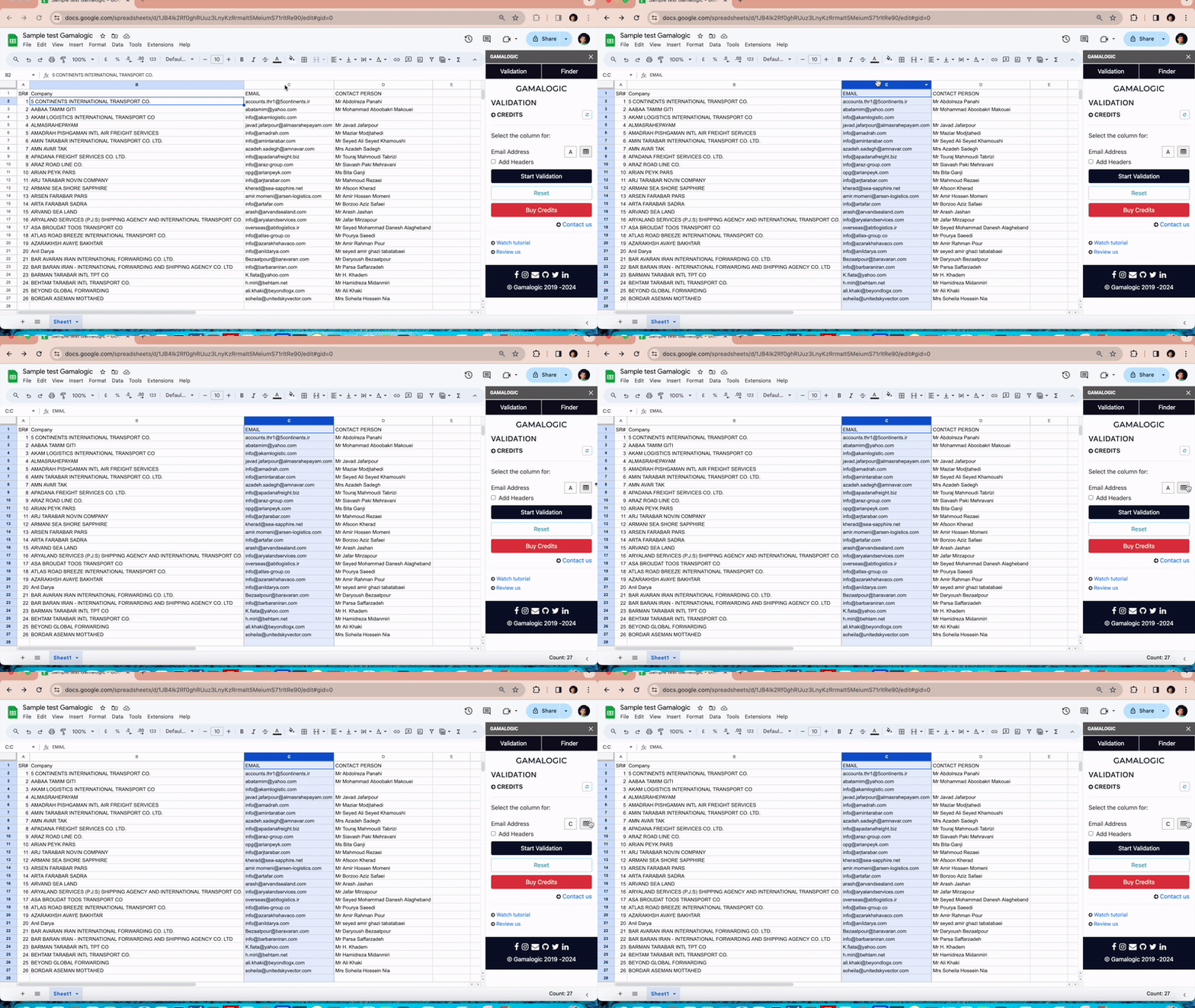
Select your email column
Once the add-on sidebar appears, add your list of email addresses to be verified in any column or list on the sheet. Identify the column containing email addresses by selecting it and clicking on the column picker next to the email address text box in the add-on.
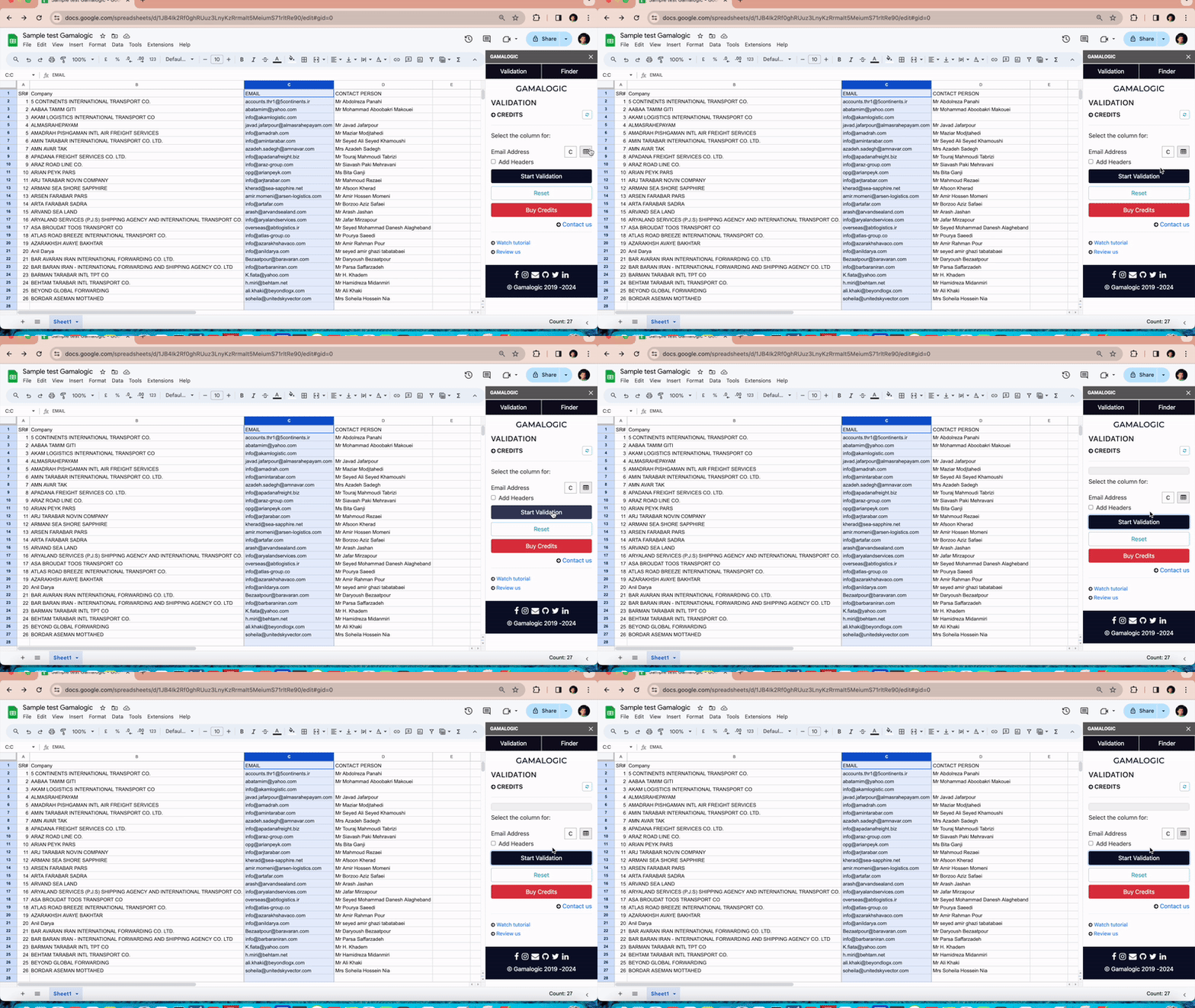
Start validation
Click the Start Validate button in the add-on to begin email verification.
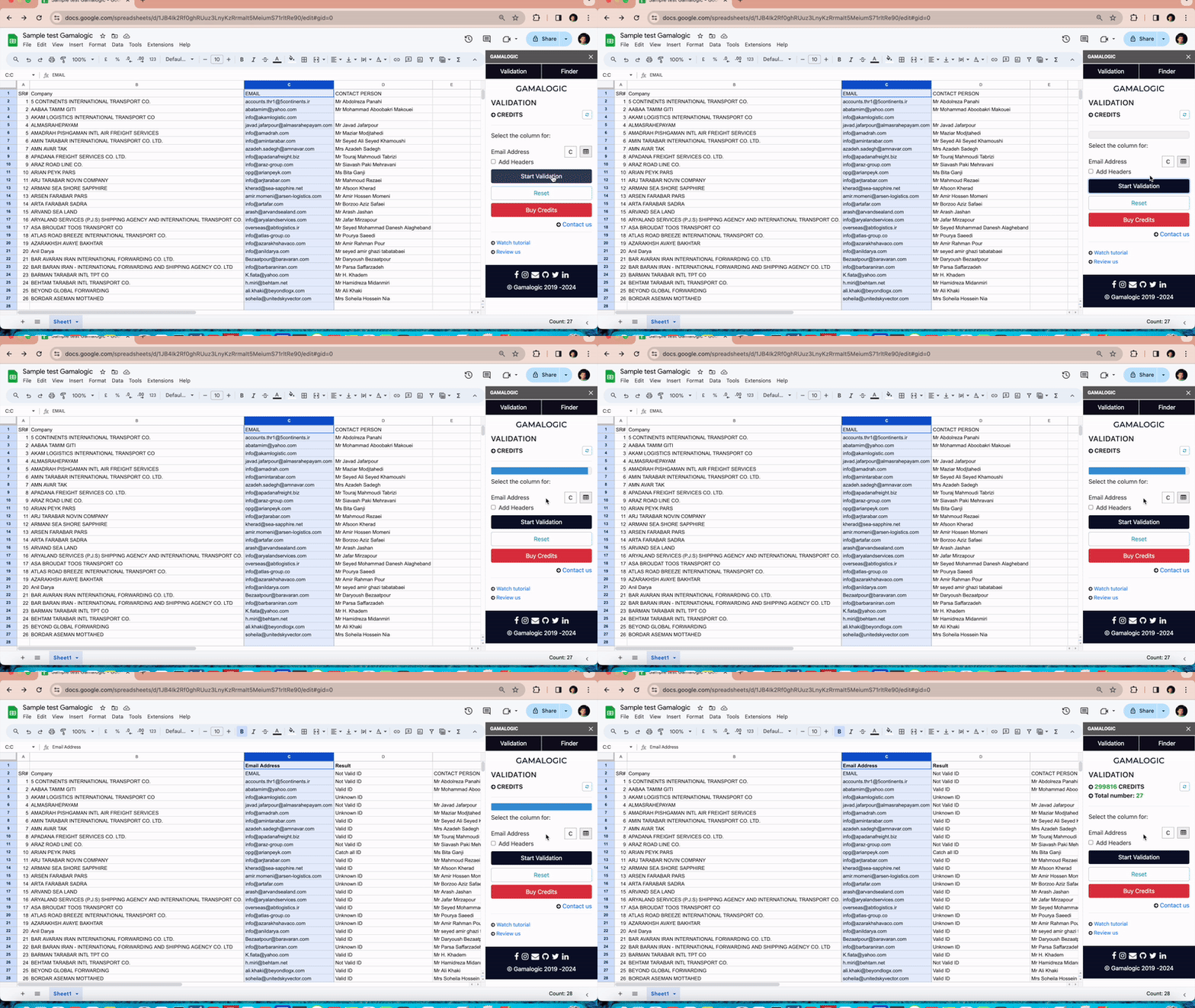
Review the results
Wait for the results to be generated till the progress bar reaches 100%. A new column will be added next to the column containing email addresses, displaying the validation results. Additionally, your credit balance will be updated, and the number of lists verified will be shown in the sidebar. If your credits are low, you can purchase additional credits by clicking “Buy Credits”.
Got some
Questions?