
 Sign In











 Webinars
 Vulnerability Disclosure
 Platform Tour
 ROI Calculator
 Deliverability Guarantee
 Academy
 Free Email Verification
 Video Tutorial
 API Documentation
 Press Release
 FAQ
FAQ


Why Email Addresses in Mailchimp Require Validation
Mailchimp powers newsletters, promotional sends, product updates, and automated email campaigns for growing businesses. Subscriber audiences are typically built from multiple touchpoints—website sign-up forms, landing pages, e-commerce checkouts, event registrations, and imported contact lists.
As these lists grow, they naturally accumulate mistyped, disposable, inactive, or outdated email addresses. This gradual data decay often goes unnoticed but has a direct impact on newsletter engagement, bounce rates, and deliverability.
That’s why validating email addresses before launching campaigns in Mailchimp is essential to maintain list quality and protect long-term sending performance.
📊 Reduced Engagement Signals
When newsletters are sent to inactive or low-quality email addresses, open and click rates drop. These weak engagement signals tell inbox providers that your content isn’t relevant—making it harder for future campaigns to reach the inbox.
🚨 Increased List Decay Over Time
Email lists naturally degrade as subscribers change jobs, abandon inboxes, or sign up with temporary addresses. Without regular validation, Mailchimp audiences quietly lose accuracy, campaign after campaign.
🧹 Inefficient Audience Management
Without validation, marketers rely on guesswork—filters, tags, or past engagement—to decide who should receive a campaign. This often leads to bloated audiences and inconsistent targeting.
⚠️ Risk of Account-Level Restrictions
Repeatedly sending campaigns to poor-quality addresses can trigger warnings or sending limitations inside Mailchimp, disrupting scheduled newsletters and automation flows.
Gamalogic + Mailchimp = Campaign-Ready Email Lists
With Gamalogic integrated into Mailchimp, email validation becomes part of the pre-send campaign workflow.
How the Integration Works
Validate subscribers directly from your Mailchimp audience
No spreadsheets, no manual exports
Clean lists without disrupting campaign planning
Built for Newsletter Marketers
One-click validation before campaigns
No-code, marketer-friendly setup
Scales effortlessly for large subscriber lists
Shape
Automated Validation & Classification for Better Campaign Results
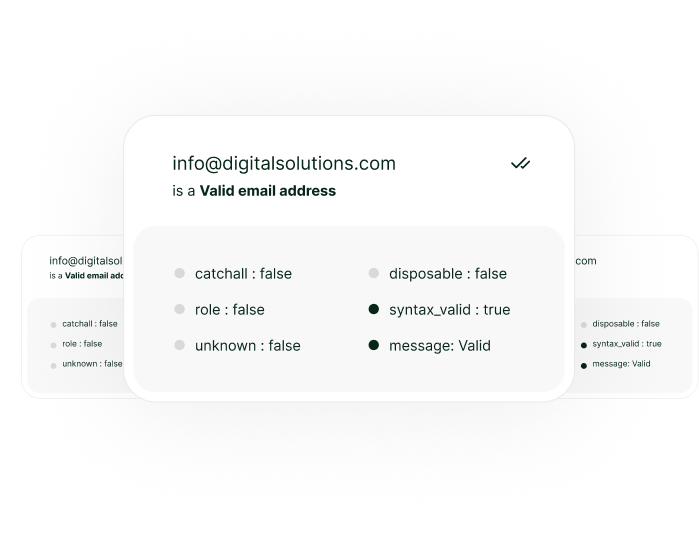
Gamalogic checks each email address and returns clear, actionable results:
Valid – Safe for newsletters and promotions
Invalid – Guaranteed bounces, automatically suppress
Risky – Low-quality addresses that reduce engagement
Disposable – Temporary inboxes that hurt list quality
Catch-all – Domains that may accept but not deliver
These results sync back into Mailchimp, enabling marketers to segment, suppress, or exclude risky addresses before sending.
Integration workflow example
(step-by-step)

1. Connect your account
Log in to Emailable and allow us to access your Mailchimp account
2. Select your data
Upload the email data that you would like to verify from your preexisting lists.
3. Export your results
Send your clean list back to Mailchimp, or download it directly.

Read Our
Documentaion
Let us show you how our verification solution works. We will be in touch as soon.
Why it works?

Keeps your sending list healthy
by filtering out “bad” addresses before you hit “send”.

Protects your domain/IP from reputation damage
that happens when you send to invalid/untrusted addresses.

Gives you seamless integration
inside the tools you already use — minimal friction, high adoption.

Who Should Use ?

who want better deliverability

growing their user base

working with lead-gen tools

running promotional campaigns

wanting scalable clean data

managing multiple Zoho Campaigns accounts
Got some
Questions?
We’ve got answers.


We integrate with the platforms you love , Why Worry to code?
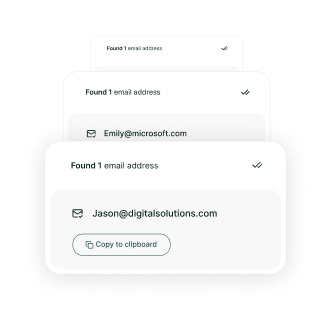
Integrate validation into your app with a single endpoint. Validate emails, find addresses, or upload files via our API.


@ 2025 Gamalogic All rights reserved.