
 Sign In







Featured Case Study

Mailer Case
Our best of the best what content is this features in the app. We are trying to invent safeguard those people who we haven’t met


Company Information


 Webinars
 Vulnerability Disclosure
 Platform Tour
 ROI Calculator
 Deliverability Guarantee
 Academy
 Free Email Verification
Help Center
 Video Tutorial
 API Documentation
 Press Release
 FAQ
FAQ
Frequently
Asked Questions
Email Validation
1. What is email validation?
+
-
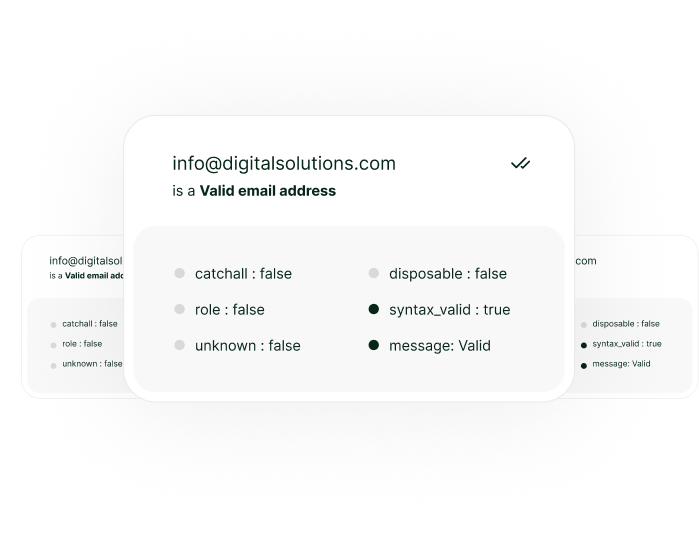
Email validation is the process of verifying whether an email address is real, active, and capable of receiving emails. It checks syntax, domain configuration, MX records, and mailbox availability to identify invalid or risky addresses.
2. Why do I need email validation?
+
-
Email validation helps reduce bounce rates, protect sender reputation, and improve deliverability. Sending to invalid emails can damage domain trust with inbox providers and impact future campaign performance.
3. Does email validation guarantee inbox placement?
+
-
No. Email validation ensures an address is deliverable, not that it will land in the inbox. Inbox placement depends on sender reputation, content quality, engagement, and sending behavior.
4. Can email validation detect spam traps?
+
-
Some high-risk or known traps can be flagged, but no validator can guarantee full spam trap detection. Validation should be used alongside permission-based list building and responsible sending practices.
5. When should I validate my email list?
+
-
You should validate emails before every campaign, after importing new contacts, and periodically for stored lists—especially if data is older than 30–60 days.
Email Finder
1. What is an email finder?
+
-
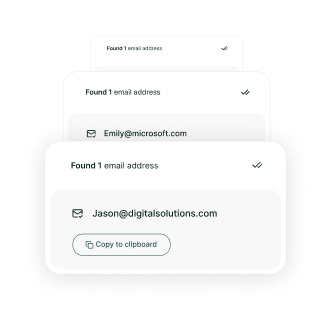
An email finder is a tool that discovers professional email addresses using a person’s name and company domain by analyzing known patterns, public data sources, and domain rules.
2. How accurate are email finder results?
+
-
Accuracy varies based on domain policies, role changes, and company email structures. While modern finders are highly accurate, results should always be validated before use.
3. Can email finders be used for B2B outreach?
+
-
Yes, email finders are commonly used for B2B sales, recruiting, and partnerships. However, outreach must comply with applicable data protection and email regulations.
4. Do email finders work for personal email addresses?
+
-
Most email finders are optimized for professional and company domains. Personal email addresses (Gmail, Yahoo, Outlook, etc.) are generally not discoverable.
5. Why do some email finder results return “unknown”?
+
-
Some domains block verification signals or hide mailbox responses. In such cases, the finder cannot confidently confirm deliverability without additional validation.
Email Validation + Finder Integration
1. What does integration between email finder and validation mean?
+
-
Integration means that every email address found is automatically validated in real time, ensuring only deliverable addresses are passed into your CRM or outreach tools.
2. Why should I integrate email finding and validation?
+
-
Integration eliminates manual steps, reduces errors, and prevents invalid emails from entering your database—saving time and protecting sender reputation.
3. How does this integration improve deliverability?
+
-
By validating emails before they are ever used, you prevent hard bounces, reduce complaint rates, and maintain a clean sending history with mailbox providers.
4. Can integrated tools work with CRMs and marketing platforms?
+
-
Yes. Integrated email finding and validation tools typically connect with CRMs, marketing automation platforms, and sales tools via native integrations or APIs.
5. Is real-time validation necessary for email finder results?
+
-
Yes. Real-time validation ensures accuracy at the moment of discovery, reducing the risk of using outdated or non-existent email addresses.
@ 2025 Gamalogic All rights reserved.