
 Sign In










 Webinars
 Vulnerability Disclosure
 Platform Tour
 ROI Calculator
 Deliverability Guarantee
 Academy
 Free Email Verification
 Video Tutorial
 API Documentation
 Press Release
 FAQ
FAQ




Why Email Addresses in Brevo Require Validation
Brevo is commonly used to run newsletters, promotional campaigns, transactional emails, and ongoing subscriber communications. Email addresses flow into Brevo from signup forms, checkout flows, CRM syncs, lead magnets, and API-based integrations.
Because Brevo often combines marketing and transactional messaging in the same ecosystem, poor-quality email data doesn’t just affect newsletters—it can also disrupt critical customer communications. Unvalidated emails quietly reduce reach, distort engagement patterns, and weaken the reliability of both marketing and operational emails.
Validating email addresses ensures Brevo remains a trusted channel for every message you send.
📤 Reduced Reliability of Transactional & Marketing Emails
When invalid or unstable email addresses remain in your database, important messages—like confirmations, updates, or newsletters—fail to reach real inboxes, eroding trust and engagement.
📊 Distorted Campaign Performance Insights
Unverified contacts dilute engagement metrics, making it harder to understand how subscribers truly respond to your newsletters and campaigns.
🔁 Reactive List Maintenance
Without validation, teams rely on post-send signals like bounces or inactivity to clean lists, forcing cleanup after damage is already done.
Gamalogic + Brevo = Campaign-Ready Email Data
Gamalogic integrates with Brevo to make email validation a natural part of your list and campaign workflow.
How the Integration Works
● Validate email addresses directly from Brevo contact lists
● No CSV downloads, no manual uploads
● Designed to support both one-time and recurring newsletters
Built for Modern Email Teams
● No-code setup
● Fast validation without slowing campaign execution
● Works seamlessly alongside existing segments and attributes
________________________________________
Automated Validation & Classification for Better Email Outcomes
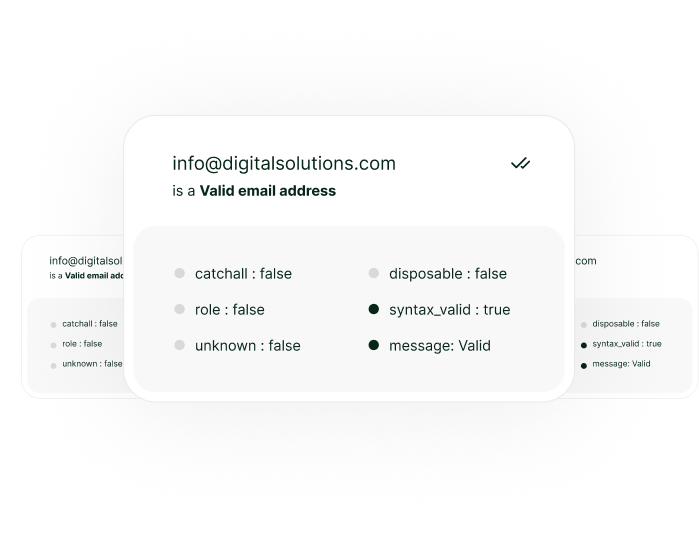
Gamalogic evaluates each email address and assigns clear validation results:
● Valid – Safe for newsletters, promotions, and transactional emails
● Invalid – Remove to avoid wasted sends
● Risky – Low-confidence inboxes that weaken engagement
● Disposable – Temporary addresses with no long-term value
● Catch-all – Domains with unpredictable delivery behavior
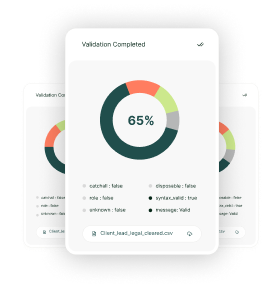
Results are written back into Brevo, allowing teams to filter, segment, or suppress contacts before launching campaigns.
________________________________________
Integration workflow example
(step-by-step)

1. Connect your account
Log in to Emailable and allow us to access your Mailchimp account
2. Select your data
Upload the email data that you would like to verify from your preexisting lists.
3. Export your results
Send your clean list back to Mailchimp, or download it directly.

Read Our
Documentaion
Let us show you how our verification solution works. We will be in touch as soon.
Why it works?

Keeps your sending list healthy
by filtering out “bad” addresses before you hit “send”.

Protects your domain/IP from reputation damage
that happens when you send to invalid/untrusted addresses.

Gives you seamless integration
inside the tools you already use — minimal friction, high adoption.

Who Should Use ?

who want better deliverability

growing their user base

working with lead-gen tools

running promotional campaigns

wanting scalable clean data

managing multiple Zoho Campaigns accounts
Got some
Questions?
We’ve got answers.


We integrate with the platforms you love , Why Worry to code?
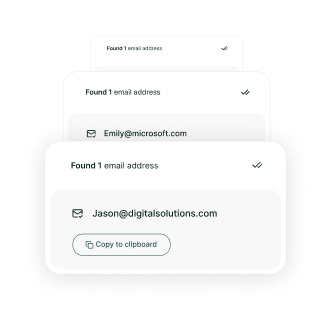
Integrate validation into your app with a single endpoint. Validate emails, find addresses, or upload files via our API.


@ 2025 Gamalogic All rights reserved.